
Can AI Calculate Paint Needed From a Matterport Scan?
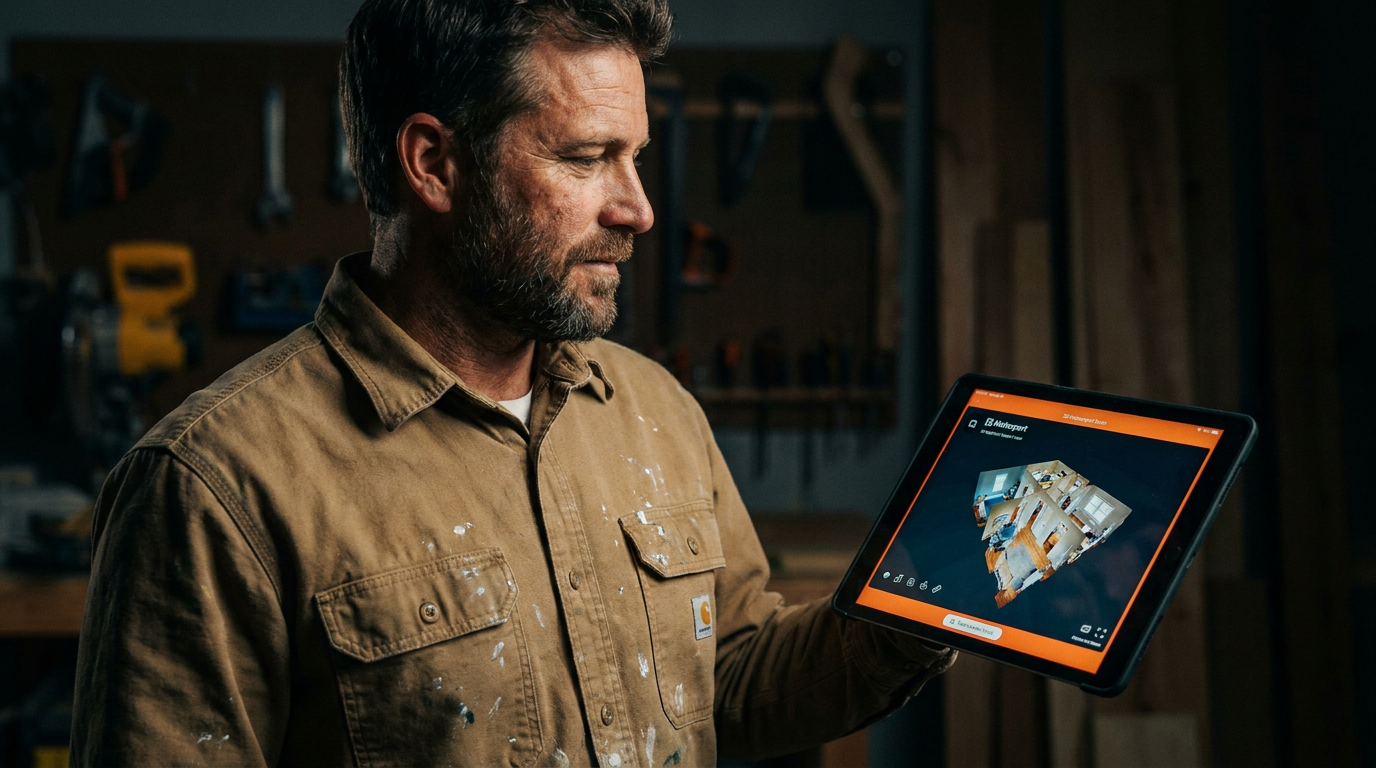
Yes, AI can calculate paint needed from a Matterport scan, but not directly out of the box. You'll use AI tools to process the scan's measurement data, like wall surface area. This combination creates highly accurate material lists and labor estimates much faster than manual takeoffs.
Can AI Calculate Paint Needed From a Matterport Scan? A Painter's Guide to 3D Estimating
Walking a job site with a tape measure and a notepad is how it's been done for a hundred years. It works. But it's slow, and it's easy to miss something. In a tight market, you need every edge you can get. That's where new tools come in.
You've probably heard about Matterport scans, those 3D tours real estate agents use. You might have also heard about AI. The real question for your business is, can you put them together to make your bidding process faster and more accurate? The short answer is yes. But it's not magic. It's a tool, and like any tool, you need to know how to use it right.
What's a Matterport Scan Anyway?
Think of a Matterport scan as Google Street View for inside a building. A special camera spins around in each room, capturing images and depth information. It stitches all this data together to create a 3D model, or "digital twin," of the space.
You can walk through it on a computer or tablet, look up at the ceilings, and get a real feel for the layout. More importantly for us, the scan creates a 'point cloud.' This is a massive file containing millions of data points, each with a precise X, Y, and Z coordinate. It's a digital blueprint of the entire space, accurate down to the inch.
The Problem with Raw Matterport Data
Here’s the catch. A fresh Matterport scan doesn't know what a wall is. It doesn't know what a window is. It's just a giant collection of measurements. You can manually measure between two points in the 3D tour, but that's not much faster than using a tape measure.
The raw data won't tell you:
- Total wall square footage
- Linear feet of trim
- The area of non-paintable surfaces like windows and doors
- The condition of the drywall
If you just have the scan, you still have to do a lot of manual work. It's a great visual aid, but it isn't an estimator on its own.
Where AI Steps In: From Data to Dollars
This is where Artificial Intelligence becomes your new best employee. Specialized software can take that raw point cloud data from Matterport and make sense of it.
AI-powered takeoff software is trained to identify different parts of a building. It looks at the millions of data points and learns to group them into surfaces. The AI can:
- Identify Surfaces: It automatically detects walls, floors, and ceilings.
- Segment Elements: It can tell the difference between a wall and a window set into that wall.
- Calculate Measurements: Once it knows what everything is, it can instantly calculate the total square footage of all walls, subtract the area for windows and doors, and measure the linear feet of baseboards, crown molding, and door casings.
This process turns a dumb 3D model into a smart, quantifiable set of plans. Instead of you spending hours with a laser measure and calculator, the AI does the heavy lifting in minutes. This data can then be exported directly into your estimating and quoting software.
Your New Workflow: Scan, Process, Quote
Integrating this tech into your business changes how you approach new leads. It looks something like this:
Step 1: Get the Scan. You can invest in your own Matterport camera (a Pro2 or Pro3) or, more easily, hire a local Matterport service provider. For a few hundred dollars, they'll scan the property and send you the data files. This is often cheaper than the time it takes for you or a salesperson to drive to a site.
Step 2: Process the Data. You'll use an AI-powered takeoff platform. You upload the point cloud file (usually an
.E57or.XYZfile). The software runs its analysis, identifying surfaces and generating measurements.Step 3: Review and Refine. The AI is smart, but it's not a seasoned painter. It won't spot the drywall patch that needs extra primer or know the client wants a specific accent wall. You must review the AI's output. Check the numbers, adjust for prep work, and add any special instructions. Your experience is what makes the estimate perfect.
Step 4: Create the Proposal. With accurate material quantities and surface areas, you can build a detailed, professional proposal. You know exactly how much paint you need and can calculate your labor more precisely. This leads to tighter bids that are still profitable.
Prompts to Get You Started
Once you have the data from your AI takeoff software, you can use other AI tools to speed things up even more. Here are a couple of prompts you can use with an AI assistant like ChatGPT.
I have surface area data from a 3D scan of a residential property. Walls: 1,850 sq ft. Ceilings: 980 sq ft. Trim: 450 linear ft. Doors: 6 standard doors. Calculate the total gallons of paint needed. Assume two coats for walls and one coat for ceilings and trim. My paint coverage is 350 sq ft per gallon for walls/ceilings and 400 linear ft per gallon for trim. For the doors, assume 1 quart per 2 doors. Provide a simple, itemized list of materials.
Write a short, professional email to a potential client named [Client Name]. Explain that we use 3D Matterport scans to create our painting estimates. Emphasize the benefits for them, which are accuracy and a clear, detailed proposal. Keep it under 100 words and maintain a confident, expert tone. Mention that this technology ensures they only pay for the work that is actually done, with no guesswork.
The Bottom Line: Is It Worth It?
So, should you ditch the tape measure tomorrow? Maybe not, but you should seriously consider this technology.
Pros:
- Speed: Cut estimating time from hours to minutes.
- Accuracy: Reduce errors and waste from mis-measurements.
- Professionalism: Impress clients with cutting-edge tech and detailed proposals.
- Efficiency: Bid on more jobs without leaving the office.
Cons:
- Cost: Matterport cameras, software subscriptions, or scanning service fees.
- Learning Curve: It takes time to learn a new workflow and trust the data.
- Limitations: It can't assess surface conditions or complex prep work.
Using AI with Matterport isn't about replacing your skills. It's about amplifying them. It handles the tedious measuring so you can focus on what really matters: planning the job, talking to the client, and delivering a quality finish. For painting contractors looking to grow their business and get ahead of the competition, it's a powerful tool for the belt.
Frequently asked questions
37 copy-paste prompts that save tradespeople 5+ hours a week. Plus one short email every Friday — no fluff.
More for other trades

AI for Painting Contractors: Quoting to Marketing
AI for Painting Contractors comes down to using AI to do the slow stuff — quoting, paperwork, marketing, and customer follow-up — so you can stay on the to

AI for Fence Companies: 9 Practical Plays
AI for Fence Companies comes down to using AI to do the slow stuff — quoting, paperwork, marketing, and customer follow-up — so you can stay on the tools.

AI for Handyman Business: The Solo Operator Stack
AI for Handyman Business comes down to using AI to do the slow stuff — quoting, paperwork, marketing, and customer follow-up — so you can stay on the tools