Spot Trouble Before It Starts: AI for Construction Risk
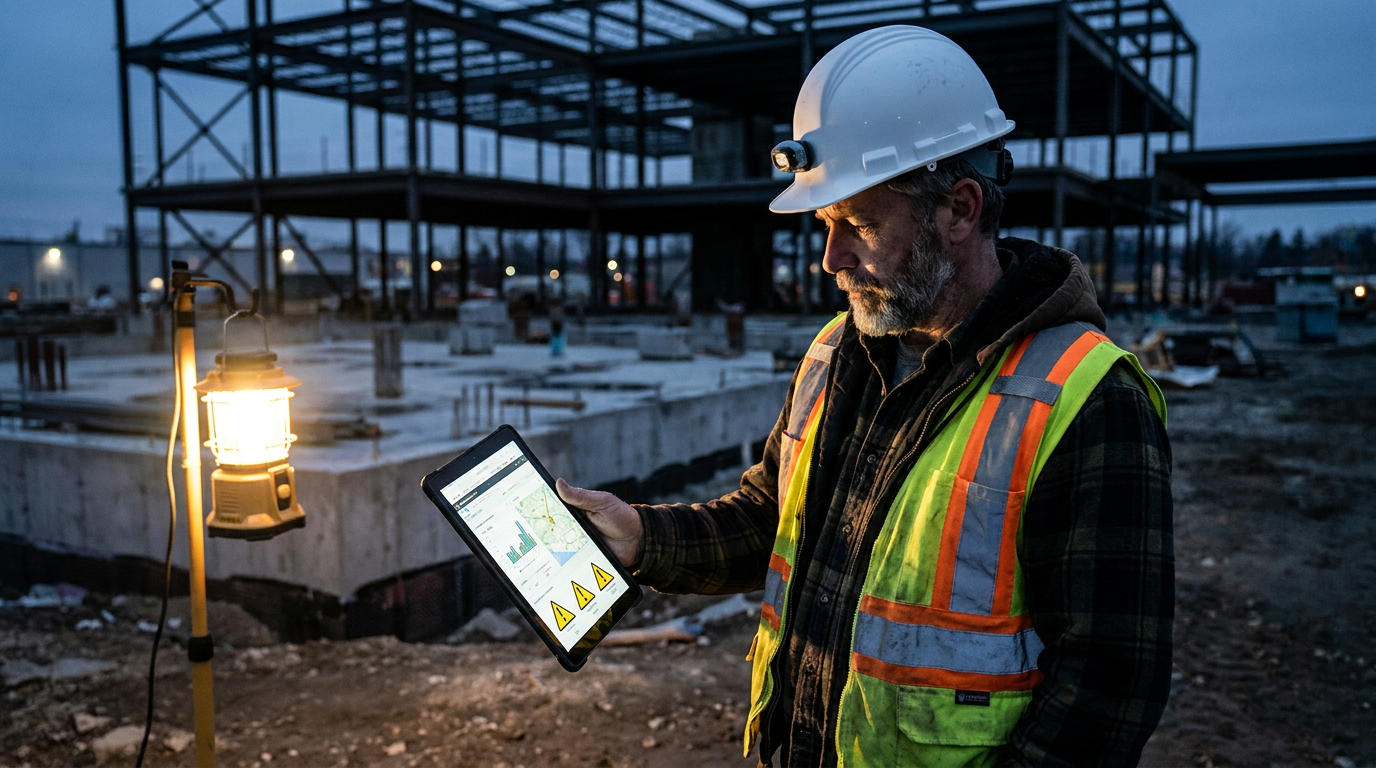
AI for construction risk management uses machine learning to analyze jobsite data—like photos, reports, and schedules—to predict problems. It helps identify safety hazards, quality control issues, and potential budget or schedule overruns, allowing teams to act proactively instead of reacting to failures after they happen.
Risk is Baked into Every Job
Every time you break ground, you’re taking a gamble. You’re betting against the weather, supply chains, human error, and a thousand other things that can go wrong. For decades, managing risk in construction has meant relying on experience, checklists, and a whole lot of gut feelings. It worked, mostly. But it was always reactive.
Now, things are changing. Artificial intelligence, or AI, isn't just for tech companies anymore. It's a powerful tool that's landing on the jobsite, giving General Contractors a new way to see trouble coming long before it hits the budget or the safety record.
This isn't about robots in hard hats. It's about smart software that acts like a superintendent with a million hours of experience, constantly watching your back.
What is AI Risk Management, Really?
Forget the science fiction stuff. In construction, AI risk management is about pattern recognition at a massive scale. The software analyzes huge amounts of data from your projects—data you're probably already collecting—to find warning signs that a human might miss.
Think about it this way:
- An experienced foreman can look at a trench and know if it’s unsafe. AI can look at ten thousand photos of trenches from all your jobs and learn to spot signs of a potential collapse before anyone gets near it.
- A project manager can feel when a schedule is starting to slip. AI can analyze daily reports, RFI turnaround times, and material delivery data to prove it—and forecast the exact impact weeks in advance.
It’s not magic. It’s just data-driven foresight. The AI connects dots between different data points that seem unrelated to us. It finds the quiet signals in all the jobsite noise.
Where AI is Making a Difference Today
This technology is already being used by GCs to tackle the biggest risks in the business. The main focus is on four key areas:
1. Safety
This is the most mature use of AI in construction. Companies like Procore and Autodesk are building AI into their platforms to automatically scan jobsite photos and videos. The AI can identify:
- Missing PPE: Spotting workers without hard hats, vests, or eye protection.
- Unsafe Conditions: Flagging open-sided floors without guardrails, improper ladder use, or poor housekeeping that leads to trips and falls.
- High-Risk Trends: Noticing if a certain crew or subcontractor is consistently involved in safety violations, allowing for targeted training.
This gives your safety manager a set of eyes on every corner of the job, helping them focus their attention where it's needed most. You can't fix what you can't see, and AI helps you see everything.
2. Quality Control
How much time is wasted on rework? AI helps reduce it by catching mistakes as they happen, not weeks later. By comparing photos, drone footage, or laser scans to the BIM model or project plans, AI can spot deviations instantly.
- Was that wall framed in the right place?
- Is the rebar spaced correctly before the pour?
- Are the MEP installations clashing with the structural plan?
AI finds these issues early, when fixing them is cheap and easy. It's the ultimate punch list, running 24/7.
3. Schedule and Delays
AI is a powerful tool for protecting your timeline. Predictive analytics models can chew through project schedules, daily logs, change orders, and even weather forecasts to predict the probability of a delay. This is a huge step up from a static Gantt chart. It helps you answer questions like:
- "If this shipment of steel is two weeks late, what's the ripple effect on the whole project?"
- "Which subcontractor is most likely to slow us down in Phase 2?"
This gives you the chance to re-sequence work or get ahead of a problem instead of just documenting a delay after it's already happened.
4. Budget and Financial Risk
By connecting with your accounting and project management software, AI can monitor the financial health of a project in real time. It can flag potential cost overruns by analyzing bid performance, change order frequency, and labor productivity. This early warning system lets you have tough conversations with owners or subs while there's still time to steer the project back on track.
Getting Practical: Prompts and Tools
You don't need a data science degree to start using AI. You can begin with general AI tools you already have access to, like ChatGPT, to organize your thinking about risk. Then, you can look at specialized construction tech platforms.
Try using a prompt like this to analyze a scope of work for potential risks.
Act as a construction risk manager with 30 years of experience in commercial building. I am the general contractor for a new project. Analyze the following project scope and identify the top 5 potential risks related to safety, quality, schedule, and budget. For each risk, suggest one practical mitigation strategy.

Project Scope: [Paste your detailed project scope, including location, building type, timeline, and key features here.]
Once you've identified a risk, you can use AI to help you communicate it. For instance, if you identify a recurring issue with fall protection, you can generate a toolbox talk.
Generate a 5-minute toolbox talk script for a construction crew. The topic is the importance of 100% tie-off when working at heights above 6 feet. The tone should be direct, serious, and easy to understand. Include a real-world example of what can go wrong and end with a clear call to action for the crew.
These simple prompts help you structure your existing risk management process. When you're ready to level up, you can explore dedicated AI platforms that automate the data collection and analysis for you.
Don't Rip Out Your Old System Yet
A word of caution: AI is a tool, not a silver bullet. It won't replace your experienced superintendents or safety directors. It makes them more effective. A successful rollout of AI for risk management requires a few things:
- Good Data: The saying is "garbage in, garbage out." If your daily reports are incomplete or your photos are blurry, the AI won't have anything useful to analyze. Start by improving your basic jobsite data collection.
- Clear Goals: Don't just "buy AI." Know what problem you're trying to solve. Are you trying to reduce your EMR rating? Cut down on rework? Start with one specific goal.
- Team Buy-In: Your team on the ground needs to understand why this is being implemented. It's not about spying on them. It's about keeping them safe and making the job go smoother. Train them on the tools and show them the benefits.
Start small. Pick one project for a pilot program. Measure the results. See if it works for your company before you go all-in.
The Future is Now
Using AI to manage risk isn't some far-off dream. The tools are here, and they're getting better every day. GCs who embrace this technology will have a serious competitive advantage. They will build safer, higher-quality buildings, on time and on budget.
Ignoring it is a risk in itself. The firms that dig in their heels and stick to the old way of doing things will find themselves explaining why their projects are behind schedule, over budget, and less safe than the competition. In construction, you're either ahead of the curve or you're falling behind. The choice is yours.
Frequently asked questions
37 copy-paste prompts that save tradespeople 5+ hours a week. Plus one short email every Friday — no fluff.
More for general contractors
AI for General Contractors: A Builder's Playbook
AI for General Contractors comes down to using AI to do the slow stuff — quoting, paperwork, marketing, and customer follow-up — so you can stay on the too
How to Use AI for Construction Project Management
How to Use AI for Construction Project Management comes down to using AI to do the slow stuff — quoting, paperwork, marketing, and customer follow-up — so