
Can AI Create Your Next Electrical One-Line Diagram?
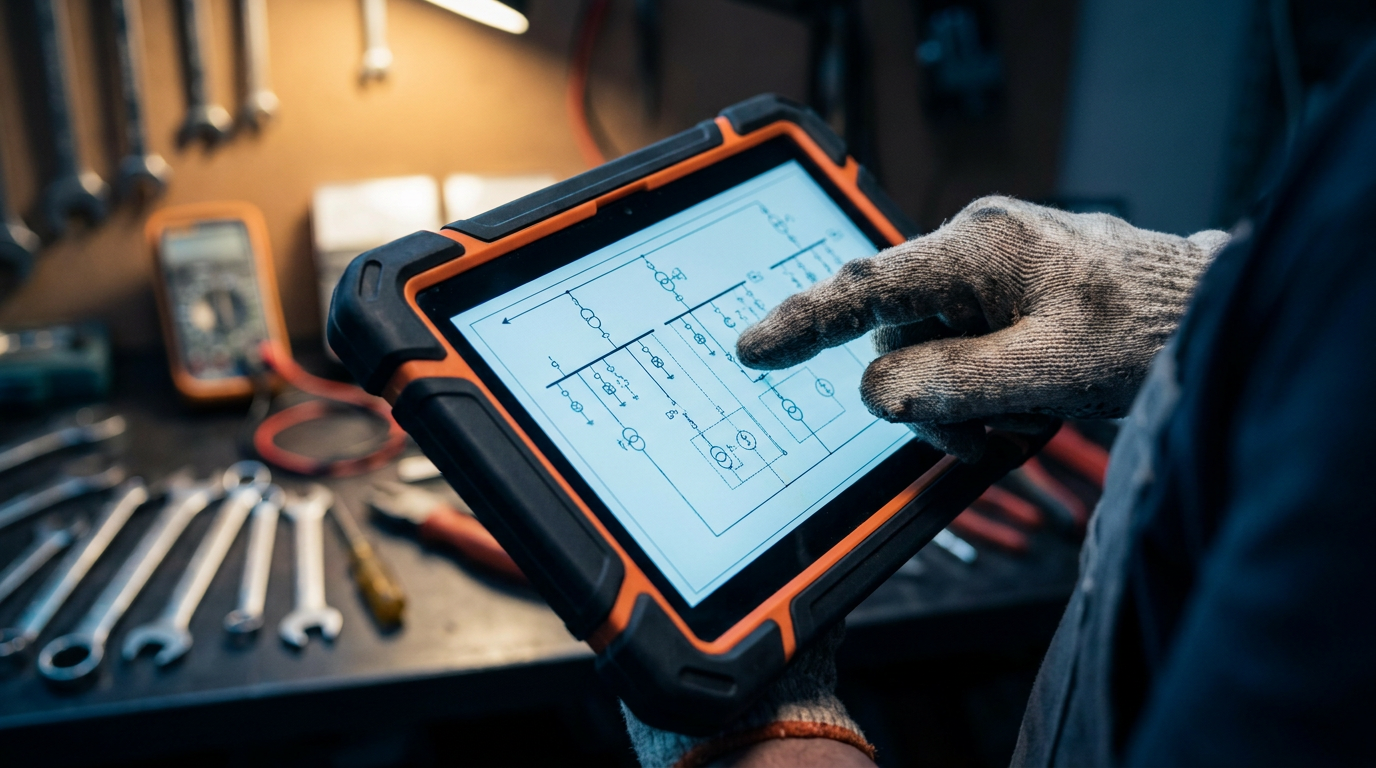
Yes, AI tools like ChatGPT can help generate a one-line electrical diagram. However, they should be used as a starting point, not a final blueprint. Think of it as a smart assistant to draft the initial layout, which you, the licensed electrician, must then verify, correct, and stamp.
Can AI Create Your Next Electrical One-Line Diagram?
Paperwork is the part of the job nobody loves. When you're planning a service upgrade, the one-line diagram is a critical piece of that puzzle. It’s the roadmap you submit to the utility company and the local inspector (AHJ). It has to be right. For years, this meant firing up expensive software or sketching it out by hand. Now, there's a new tool in the box: artificial intelligence.
But can you really trust a chatbot to map out a 200-amp service? The short answer is yes, but with a big asterisk. AI can be a powerful assistant, but it's not a licensed electrician. Let's break down how to use this tool without getting yourself into trouble.
What a One-Line Diagram Is (and Isn't)
A one-line, or single-line, diagram is a simplified map of an electrical system. It shows the flow of power from the utility service drop all the way to the final branch circuits. It doesn't show every single wire, but it includes the important stuff:
- Service conductors and sizes
- Meter base and main disconnect ratings
- Panelboard amperage and breaker layout
- Feeder sizes to subpanels
- Grounding and bonding conductors
It's the 30,000-foot view that tells an inspector you know what you're doing. It's not a full-blown schematic, but it’s a legal document you put your name on.
Can You Trust AI with Critical Drawings?
Here’s the deal: AI is a language tool. It's trained on a massive amount of text and data from the internet. It has read countless articles, forum posts, and textbooks about electrical systems. It can put together a logical list of components for a standard service upgrade.
However, it doesn't have a license. It can't visit the job site. And it might not know that your local jurisdiction has a specific requirement for bonding jumpers that isn't standard in the NEC. The principle of 'garbage in, garbage out' is key here. The quality of the diagram you get depends entirely on the quality of the information you give it.
Think of AI as a very green apprentice. It can get the basic parts list together and suggest a layout, but you, the master electrician, have to check every single detail. The liability is 100% yours.
How to Prompt AI for a One-Line Diagram
Being vague won't work. You can't just say "Give me a one-line for a service upgrade." You need to be specific and provide all the critical details. The more info you provide, the more accurate the AI's output will be.
Here are a couple of prompts you can copy and paste to get started. Tweak them for your specific job.
Act as a master electrician designing a residential service upgrade. Generate the component list and power flow for a one-line diagram.

Project Details:
- Upgrade from: 100A overhead service
- Upgrade to: 200A overhead service
- Location: Single-family home, USA
- Components: List all major components from the utility connection point to the panel. Include service drop attachment, weatherhead, service entrance conductors (specify copper or aluminum and size), meter socket (specify rating), main service panel (specify rating and number of spaces), main breaker, and grounding electrode system (specify two 8-foot ground rods and conductor size).

Format the output as a simple, ordered list representing the flow of power. Mention relevant NEC articles where appropriate.
For a more complex job, you need to provide even more data.
Act as an electrical engineer creating a one-line diagram for a small commercial tenant fit-out. Generate the component list and power flow.

Project Details:
- Main Service: 480/277V, 3-phase, 4-wire from an existing main distribution panel (MDP).
- New Equipment: We are adding a new 75 kVA dry-type transformer.
- Transformer Details: 480V delta primary, 208/120V wye secondary.
- New Panel: The transformer will feed a new 225A, 42-circuit panelboard (Panel 'LP-1').

Task: Detail the one-line diagram from the tap at the MDP to Panel LP-1. Specify the overcurrent protection device (OCPD) size for the transformer primary, the feeder conductor sizes, the main breaker size in LP-1, and the bonding and grounding requirements for the transformer and new panel. Reference NEC Article 450 for transformer protection.
The Good, The Bad, and The Ugly
Using AI for this isn't a silver bullet. It has its pros and cons.
The Good: Speed. AI can generate a draft in seconds. This is great for getting past a blank page and creating a template you can refine. It's a solid way to brainstorm and organize your thoughts before committing them to a formal drawing.
The Bad: Errors and hallucinations. AI can be confidently wrong. It might suggest an outdated component or an incorrect wire size. It doesn't have real-world experience and can't account for job site conditions. You must verify everything against the current NEC and local amendments.
The Ugly: Liability. If you submit an AI-generated diagram without proper review and it gets rejected or, worse, leads to a failed inspection or safety issue, that's on you. The inspector and the utility company don't care that ChatGPT gave you the idea. Your name and license number are on the line.
The Final Check: Your Brain is the Best Tool
Once the AI gives you a draft, the real work begins. You need to take that text-based list and turn it into a proper drawing. Use the output as a checklist. Open your preferred software, whether it's AutoCAD, Bluebeam, or a simpler diagramming tool.
Go through the list component by component, drawing it out and verifying every detail against the codebook. Calculate your loads, confirm your wire sizes, and make sure your overcurrent protection is correct. This is where your years of experience matter.
Use the AI to do the grunt work, but use your professional judgment to finalize the plan. For more tips on running your business and using new tech, check out our other resources for professional electricians. See more electrician resources.
Ultimately, AI is just another tool. Like a new impact driver or a better circuit tracer, it can make your job faster and easier if you know how to use it right. But it will never replace the skilled tradesperson who knows how to do the job safely and correctly.
Frequently asked questions
37 copy-paste prompts that save tradespeople 5+ hours a week. Plus one short email every Friday — no fluff.
More for electricians
AI for Electricians: A Field-Tested Guide
AI for Electricians comes down to using AI to do the slow stuff — quoting, paperwork, marketing, and customer follow-up — so you can stay on the tools. Bel

27 ChatGPT Prompts for Electricians (Copy & Paste)
27 ChatGPT Prompts for Electricians (Copy & Paste) comes down to using AI to do the slow stuff — quoting, paperwork, marketing, and customer follow-up — so

AI Electrical Load Calculator: How It Works & Free Prompt
AI Electrical Load Calculator comes down to using AI to do the slow stuff — quoting, paperwork, marketing, and customer follow-up — so you can stay on the