
Can AI Read a Psychrometric Chart for You?
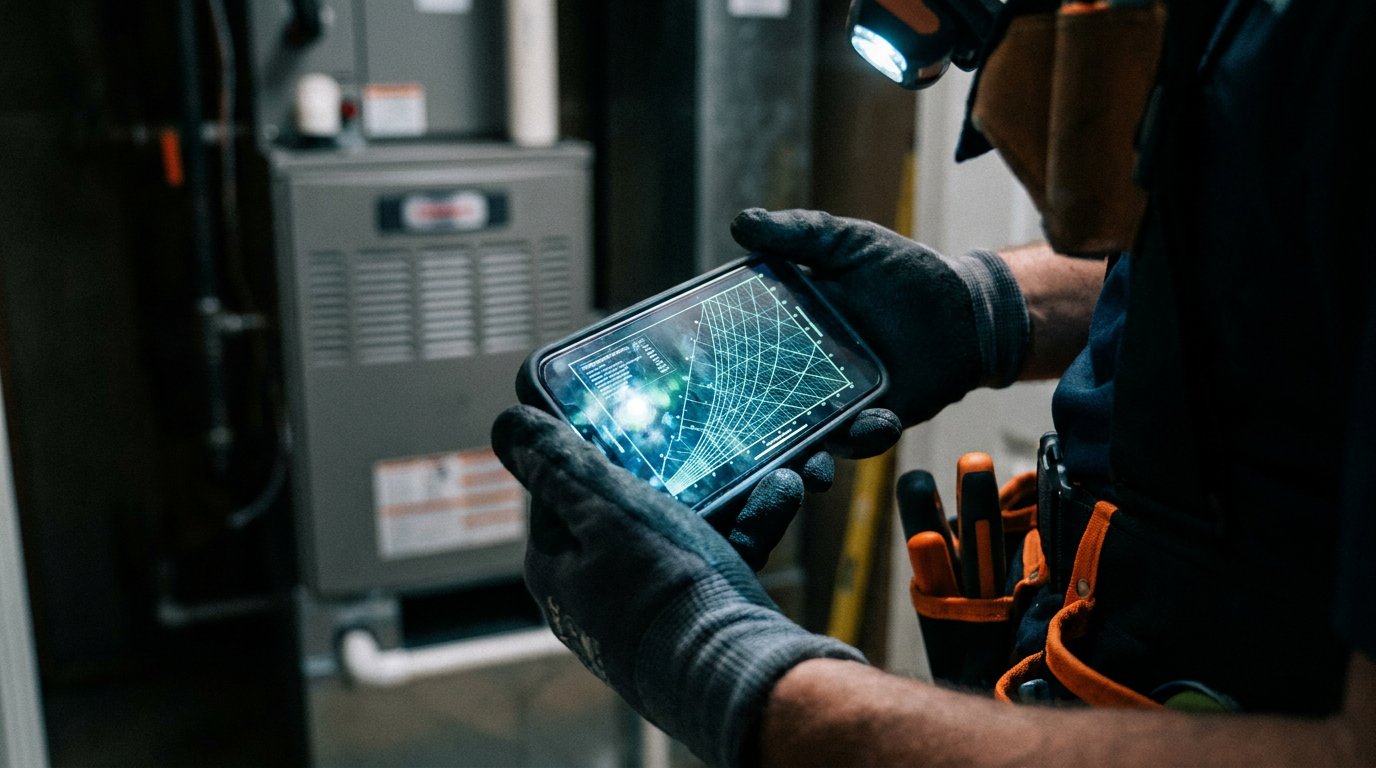
Yes, AI can interpret a psychrometric chart. By uploading an image of a chart or providing data points, AI models can calculate properties like relative humidity, enthalpy, and dew point. This helps HVAC technicians quickly diagnose system performance, identify issues, and determine corrective actions without manual calculations.
That psychrometric chart hanging on the office wall isn't just decoration. It's one of the most powerful tools in the HVAC trade. But let's be honest, plotting points by hand is slow, and it's easy to make a mistake. What if you could get the answers you need in seconds, right from your phone?
You can. Artificial intelligence is no longer just a buzzword. It's a practical tool that can read and interpret a psychrometric chart for you. It turns that complex grid of lines into clear, actionable data, helping you diagnose problems faster and more accurately.
How AI Tackles the Psych Chart
Think of AI as a super-smart apprentice who has memorized every intersection on the psychrometric chart. It doesn't get tired, and it doesn't need a coffee break. You can give it information in two main ways:
Image Analysis: You can take a picture of a psychrometric chart with points you've plotted and ask the AI to interpret it. The AI's computer vision identifies the lines, numbers, and your marks. It then tells you what it all means.
Data Input: This is the faster, more common method. You feed the AI the raw numbers you get from your tools. You just type in your dry-bulb and wet-bulb temperatures, and the AI does the rest. It calculates everything else, like relative humidity (RH), dew point, enthalpy, and humidity ratio.
Instead of you tracing lines with a straightedge, the AI processes the mathematical relationships behind the chart instantly. It's a calculator that understands the physics of air.
Practical Uses for HVAC Techs
This isn't just a party trick. Using AI to read psych charts has real-world benefits on the job site.
Faster Troubleshooting
You're on a service call for a "not cooling enough" complaint. You take your readings.
- Return Air: 76°F dry-bulb, 64°F wet-bulb
- Supply Air: 58°F dry-bulb, 56°F wet-bulb
Instead of plotting this on a paper chart in your truck, you pull out your phone and use a prompt.
I have a residential AC unit. Return air is 76°F DB and 64°F WB. Supply air is 58°F DB and 56°F WB. Plot these two points on a standard psychrometric chart. Calculate the change in enthalpy, the sensible heat ratio, and the total cooling capacity in BTU/hr for an airflow of 1200 CFM. Is this performance typical?
The AI will instantly calculate the enthalpy at each point and tell you the difference. It can tell you the sensible heat factor is too high, meaning the coil isn't dehumidifying properly. This points you toward potential issues like low airflow or a refrigerant charge problem. You just saved 15 minutes of manual calculation and got a head start on the diagnosis.
Better System Design and Sizing
When sizing a new system, you can use AI to visualize the load. After you run a Manual J load calculation, you have your sensible and latent load numbers. You can feed these to an AI and ask it to determine the required coil conditions and airflow to meet the load. This helps confirm that the equipment you've selected is the right match for the house, preventing future comfort problems.
Clearer Client Communication
Homeowners don't understand enthalpy. Trying to explain it usually makes their eyes glaze over. AI can act as a translator, turning technical data into simple explanations.
My customer says their house feels 'muggy' even though the thermostat is set to 72°F. The indoor conditions are 74°F and 60% relative humidity. Explain in simple terms, for a homeowner, why the house feels uncomfortable and what it means for their AC system's dehumidification performance.
The AI can generate a simple script for you to use. It might explain that the AC is cooling the air but not removing enough moisture, which is why it feels sticky. This builds trust and helps you sell the right solution, whether it's an equipment repair, a system replacement, or a whole-house dehumidifier.
For more on running your business, check out our other guides for hvac pros.
The Limits: What to Watch For
AI is a powerful tool, but it's not a replacement for your experience. Keep these things in mind.
- Garbage In, Garbage Out: AI is only as good as the data you give it. If your temperature readings are off because your meter isn't calibrated, the AI's analysis will be wrong. Always trust your professional tools and make sure they are accurate.
- It's a Tool, Not a Tech: The AI can't hear a rattling fan motor or see a clogged filter. It doesn't have the hands-on experience to know that a certain model of furnace has a common issue with its control board. Your field knowledge is still your most valuable asset. Use AI to confirm what you suspect, not to tell you what to think.
- Check the Work: Sometimes, AIs can "hallucinate" or make errors. If a calculation looks way off, trust your gut. Use it for quick analysis, but for critical calculations that involve equipment ordering or major repairs, it's always smart to double-check the numbers yourself.
Here's one more prompt for a common scenario: calculating mixed air conditions.
I'm designing a ventilation system. I need to mix two airstreams. Stream 1 is 1000 CFM of outside air at 95°F DB and 78°F WB. Stream 2 is 3000 CFM of return air at 75°F DB and 50% RH. Calculate the final condition of the 4000 CFM mixed air (dry-bulb temp, wet-bulb temp, and humidity ratio).
The Bottom Line
The psychrometric chart is fundamental to understanding air. AI is the fastest way to unlock the information that chart holds. By embracing this technology, you can work more efficiently, diagnose problems with greater confidence, and explain complex issues to customers in a way they understand.
It's not about replacing your skills. It's about adding a powerful new tool to your belt that helps you get the job done better and faster.
Frequently asked questions
37 copy-paste prompts that save tradespeople 5+ hours a week. Plus one short email every Friday — no fluff.
More for hvac

AI for HVAC Contractors: Everything You Need to Know
AI for HVAC Contractors comes down to using AI to do the slow stuff — quoting, paperwork, marketing, and customer follow-up — so you can stay on the tools.

ChatGPT for HVAC Technicians: 20 Real Use Cases
ChatGPT for HVAC Technicians comes down to using AI to do the slow stuff — quoting, paperwork, marketing, and customer follow-up — so you can stay on the t
AI HVAC Load Calculation: Manual J in Minutes
AI HVAC Load Calculation comes down to using AI to do the slow stuff — quoting, paperwork, marketing, and customer follow-up — so you can stay on the tools