
Turn Job Photos into Pro Videos with AI
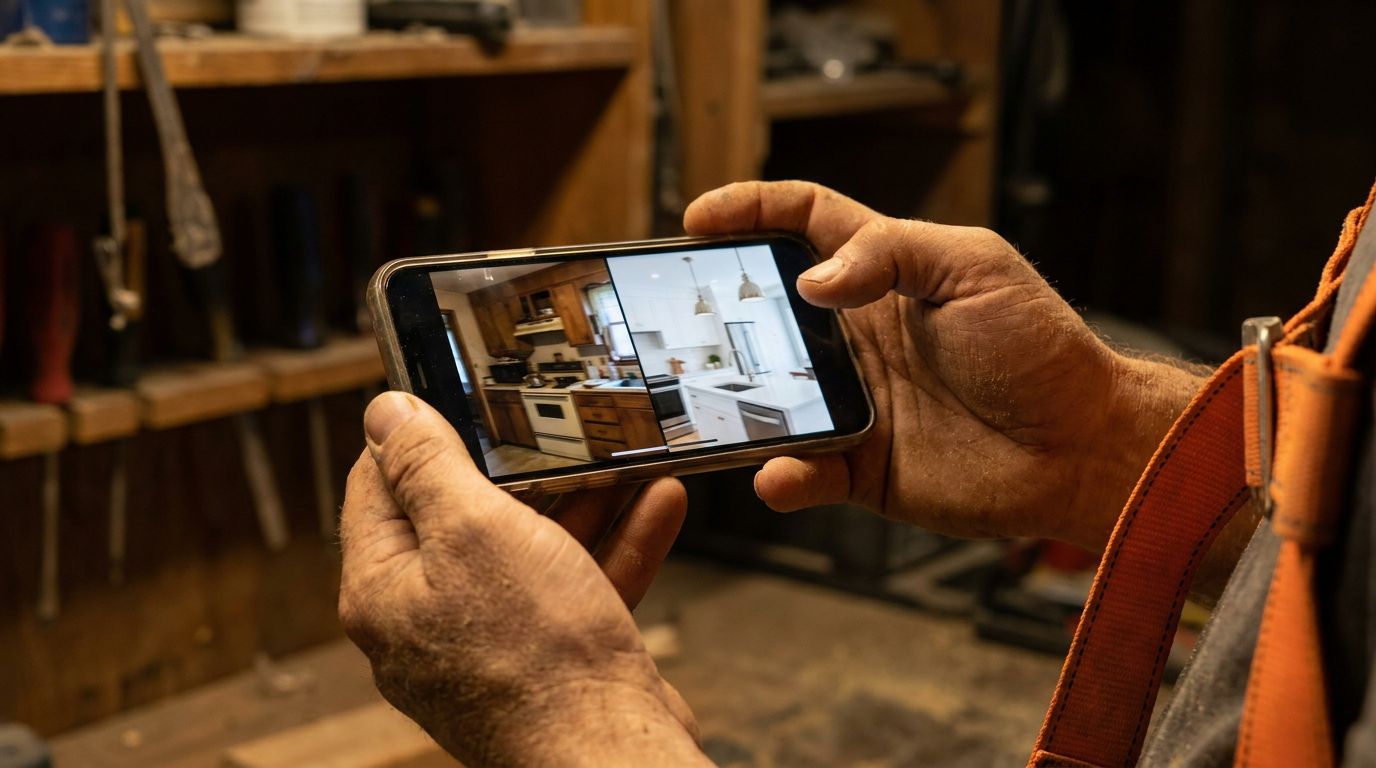
AI video generation for contractor before-and-afters works by using tools to animate your static job photos. You upload 'before' and 'after' pictures, and the AI adds camera movements, transitions, and music to create a professional video showcase. This makes your work look more dynamic and impressive to potential clients.
Turn Job Photos into Pro Videos with AI
You've got hundreds, maybe thousands of photos on your phone. Before shots of a wrecked kitchen. After shots of a perfect new roof. They prove you do good work. But let's be honest, they're probably just sitting there, collecting digital dust. A static photo gallery is fine, but it doesn't grab attention.
It's time to turn those pictures into something that works as hard as you do. AI video generation lets you create impressive before-and-after videos in minutes, right from your phone or laptop. No complicated editing software. No hiring a video guy. Just your photos, a simple prompt, and a tool that does the heavy lifting.
Why Bother With Video?
Still photos are good. Videos are better. It's not just a feeling; the numbers back it up. Social media platforms like Instagram and Facebook push video content harder than static images. A video gets more eyes on it, which means more potential customers see your work.
A video tells a better story. It can show the transformation in a way that feels more dramatic. Instead of just two pictures side-by-side, you can create a reveal. A slow pan across the finished work makes a client feel like they're standing in the room. It's the difference between showing someone a blueprint and giving them a tour.
Think about it:
- Higher Engagement: People are more likely to watch, like, and share a short, punchy video.
- Looks More Professional: A well-made video makes your company look bigger and more successful.
- Better for Ads: Video ads almost always perform better than image ads, giving you more bang for your buck.
How AI Video Generation Works
When we say "AI video generation," we're not talking about creating fake videos of jobs you never did. This is about using AI to be your personal video editor. You provide the real, honest materials—your before-and-after photos—and the AI adds the polish.
Here’s the simple version:
- You upload your images: Pick a great 'before' shot and a killer 'after' shot.
- You give it instructions: You tell the AI what to do using a simple text prompt.
- The AI gets to work: It analyzes your photos and your prompt, then adds effects like:
- Camera movements (pans, zooms, tilts)
- Smooth transitions between photos
- Background music that fits the mood
- Text overlays with your company name or project details
The result is a short, professional-looking video that highlights the quality of your craftsmanship. It takes the raw power of your work and packages it for today's market.
A Step-by-Step Guide to Your First Video
Ready to try it? It's easier than you think. Follow these steps.
1. Gather Your Photos
This is the most important step. The AI can't make bad photos look good. Your video will only be as strong as your pictures. For every job, make sure you get:
- A clear "before" shot from a good angle.
- Several "after" shots from different angles, showing off the details.
- Good lighting. Avoid dark, blurry, or crooked photos.
2. Pick an AI Tool
There are many AI tools that can turn images into video. Some are built into apps you might already use, like Canva. Others are dedicated platforms like Pika or Runway. Look for one with a free trial and an easy-to-use interface. You don't need the most complex tool, just one that does the basics well.
3. Write Your Prompt
This is where you tell the AI what you want. Be direct and clear. You don't need to be a computer programmer. Just describe the video like you're explaining it to an assistant.
Here are a couple of examples you can copy and paste to get started.
Create a 15-second video for a kitchen remodel. Start with a slow zoom into the 'before' photo. Hold for 2 seconds. Use a fast, clean wipe transition to the 'after' photo. Pan slowly across the new cabinets and island in the 'after' photo for 8 seconds. Add subtle, uplifting instrumental music.
Generate a 10-second video of a roof replacement. Show the 'before' photo of the old, damaged roof. Use a quick 'glitch' effect to transition to the 'after' photo of the new roof. Apply a subtle zoom-out effect on the 'after' photo to show the whole house. Use an energetic, percussive background track. No text overlays.
4. Refine and Export
The AI will generate a video based on your prompt. It might not be perfect on the first try. Watch it, see what you like and what you don't, and then adjust your prompt. Maybe you want a faster transition or a different camera movement. Once you're happy with it, export the video file.
Where to Use Your New Videos
Don't just let these videos sit on your hard drive. Put them to work.
- Your Website: Create a portfolio page dedicated to video showcases. It's much more engaging than a static photo gallery.
- Social Media: Post them on Instagram, Facebook, and even TikTok. These platforms love short-form video.
- Estimates and Proposals: Include a link to a relevant video in your digital quotes. It shows a potential client exactly what you can do for them, building trust before you even start the job.
- Local Ads: Use your best videos to run targeted ads on social media. A video of a beautiful deck you just built is the best possible ad for your deck-building services.
This isn't about adding another complicated task to your plate. It's about taking the assets you already have and making them work harder for you. A few minutes with an AI tool can turn a folder of old photos into a powerful marketing machine that brings in new leads and helps you close more deals.
Frequently asked questions
37 copy-paste prompts that save tradespeople 5+ hours a week. Plus one short email every Friday — no fluff.
More for marketing & seo

AI Marketing for Electrical Contractors: A 30-Day Plan
AI Marketing for Electrical Contractors comes down to using AI to do the slow stuff — quoting, paperwork, marketing, and customer follow-up — so you can st
Electrician Chatbot: Answer Customers 24/7 With AI
Electrician Chatbot comes down to using AI to do the slow stuff — quoting, paperwork, marketing, and customer follow-up — so you can stay on the tools. Bel

Plumbing SEO With AI: Rank in Your City Faster
Plumbing SEO With AI comes down to using AI to do the slow stuff — quoting, paperwork, marketing, and customer follow-up — so you can stay on the tools. Be