
Ben Moore vs Sherwin-Williams: Which AI Paint App is Better?
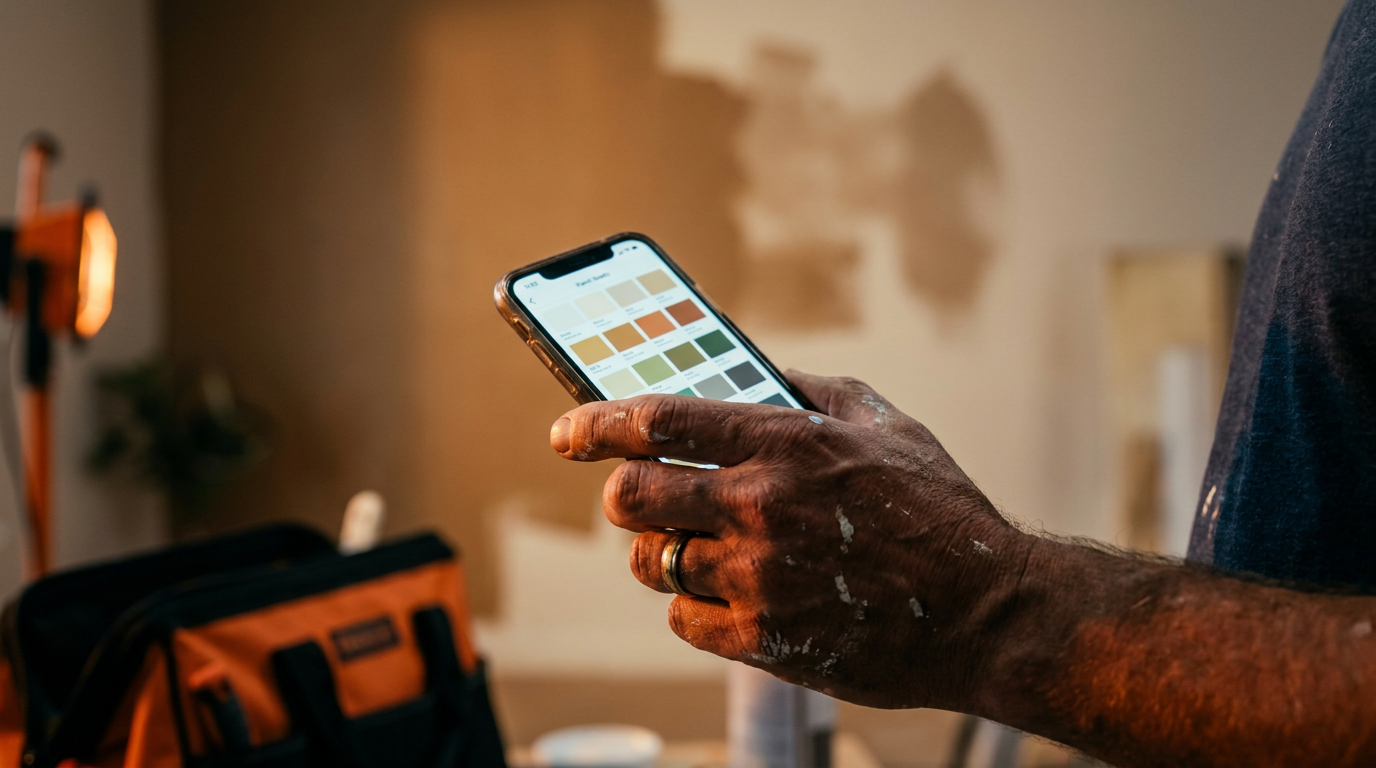
For most pro painters, Sherwin-Williams ColorSnap is the better tool. It offers more robust features for managing projects, creating client palettes, and its color matching is slightly more reliable. Benjamin Moore's Color Portfolio is simpler to use and excellent for quick, on-the-fly client visualizations, but lacks pro-level depth.
AI on the jobsite isn't some far-off fantasy. It's in your pocket right now. For painters, the two biggest names in the game, Benjamin Moore and Sherwin-Williams, have put AI-powered apps on your phone. These tools promise to make color matching, client approvals, and project management easier.
But which one actually delivers? We're putting the Benjamin Moore Color Portfolio app head-to-head with the Sherwin-Williams ColorSnap Visualizer. No fluff, just a straight-up comparison of what matters to a pro painter trying to get the job done right.
What These Apps Actually Do
At their core, both apps are designed to help you and your clients choose paint colors. They use your phone's camera to do two main things:
- Color Matching: You can point your camera at a wall, a pillow, or anything else, and the app will try to find the closest paint color in its library.
- Augmented Reality (AR) Visualization: You can point your camera at a room and 'paint' the walls with different colors to see how they look in real time.
Both Benjamin Moore's Color Portfolio and Sherwin-Williams' ColorSnap offer these basic features. But the differences are in the details, and that's where one app pulls ahead for professional use.
Head-to-Head: Key Features for Pros
Let's break down the apps by the features that actually save you time and make you look good in front of a client.
Color Matching Accuracy
This is the big one. You need to match an existing color or pull inspiration from an object. How do they stack up?
- Sherwin-Williams ColorSnap: Generally considered the leader here. Its scanner seems better tuned and less sensitive to weird lighting. It's not perfect—no phone app is—but it gets you in the ballpark more consistently. It also connects with their physical ColorSnap Match device for near-perfect accuracy.
- Benjamin Moore Color Portfolio: This app does a decent job, but it can be more finicky with lighting. A shadow or a bright spot can throw off the reading. It works for getting ideas, but you'll want to double-check with a physical fan deck before buying gallons.
Winner: Sherwin-Williams
AR Visualization
Showing a client what a color will actually look like on their walls can close a deal faster than any sales pitch. The AR feature is key.
- Benjamin Moore Color Portfolio: The AR here is fast and simple. It does a good job of detecting walls and edges quickly. It's great for a homeowner who wants to see a quick change from beige to gray. You can also 'paint' using photos.
- Sherwin-Williams ColorSnap: The AR is also strong, but sometimes a little slower to map the room. Where it shines is in its ability to save scenes and create project palettes that you can easily share with a client. It feels more integrated into a professional workflow.
Winner: Tie. Benjamin Moore is faster for a quick look, while Sherwin-Williams is better for saving and organizing.
Project & Client Management
An app should do more than just show colors. It should help you run your business. This is where the two apps really separate.
- Sherwin-Williams ColorSnap: This is built for pros. You can create projects, save colors room-by-room, add notes, calculate paint needs, and even find the nearest store and see its inventory. You can build a whole project file within the app and email it to the client or your crew. It's a real jobsite tool.
- Benjamin Moore Color Portfolio: This app is much more focused on the individual homeowner. You can save favorite colors, but there isn't a robust system for creating detailed projects, managing multiple clients, or calculating paint quantities. It's more of an inspiration tool.
Winner: Sherwin-Williams, by a mile.
Using AI to Manage Your Painting Business
These apps are just one part of the picture. You can use other AI tools to streamline the rest of your work, from client communication to marketing. Here are a few prompts you can use with a tool like ChatGPT to get started.
Act as a professional painting contractor. Write a short, friendly email to a new client named [Client Name]. Explain that I will be using the Sherwin-Williams ColorSnap app during our walkthrough to help visualize colors in their space. Mention that they can download the app beforehand to explore ideas and that we will finalize choices with physical swatches to ensure accuracy.
This prompt helps you set expectations with the client. It shows you're using modern tools but also reassures them that you'll rely on time-tested methods for the final decision.
I just finished a living room project using Benjamin Moore 'Hale Navy'. Create a short caption for an Instagram post. Include a before-and-after description, mention the paint color and brand, and add relevant hashtags for a painting business in [Your City/State]. Keep the tone professional but approachable.
This helps with your marketing. Instead of just posting a photo, you're providing value by naming the color and creating content that potential customers are searching for.
The Real-World Verdict
So, which app should be on your phone?
For the serious professional painter, the Sherwin-Williams ColorSnap Visualizer is the clear winner. Its project management features, better color scanning, and integration with the Sherwin-Williams ecosystem make it a powerful tool for business. It helps you organize jobs, communicate with clients, and get the right paint ordered.
Benjamin Moore's Color Portfolio is a good app, and it's perfect for a quick client meeting where you just need to throw some color on a wall in AR. It's simple and fast. But it lacks the professional-grade features that can actually make your job easier day-to-day.
Your best bet is to have both. Use Benjamin Moore for quick inspiration if you're in a pinch. But build your digital workflow around Sherwin-Williams. In the end, these are tools. They don't replace your experience or a physical fan deck. But they can save you time, impress clients, and help you stay organized. And in this business, that's money in your pocket.
Frequently asked questions
37 copy-paste prompts that save tradespeople 5+ hours a week. Plus one short email every Friday — no fluff.
More for other trades
AI for Painting Contractors: Quoting to Marketing
AI for Painting Contractors comes down to using AI to do the slow stuff — quoting, paperwork, marketing, and customer follow-up — so you can stay on the to
AI for Fence Companies: 9 Practical Plays
AI for Fence Companies comes down to using AI to do the slow stuff — quoting, paperwork, marketing, and customer follow-up — so you can stay on the tools.

AI for Handyman Business: The Solo Operator Stack
AI for Handyman Business comes down to using AI to do the slow stuff — quoting, paperwork, marketing, and customer follow-up — so you can stay on the tools