
Doxel vs. Avvir: Which AI Tracker is Worth Your Money?
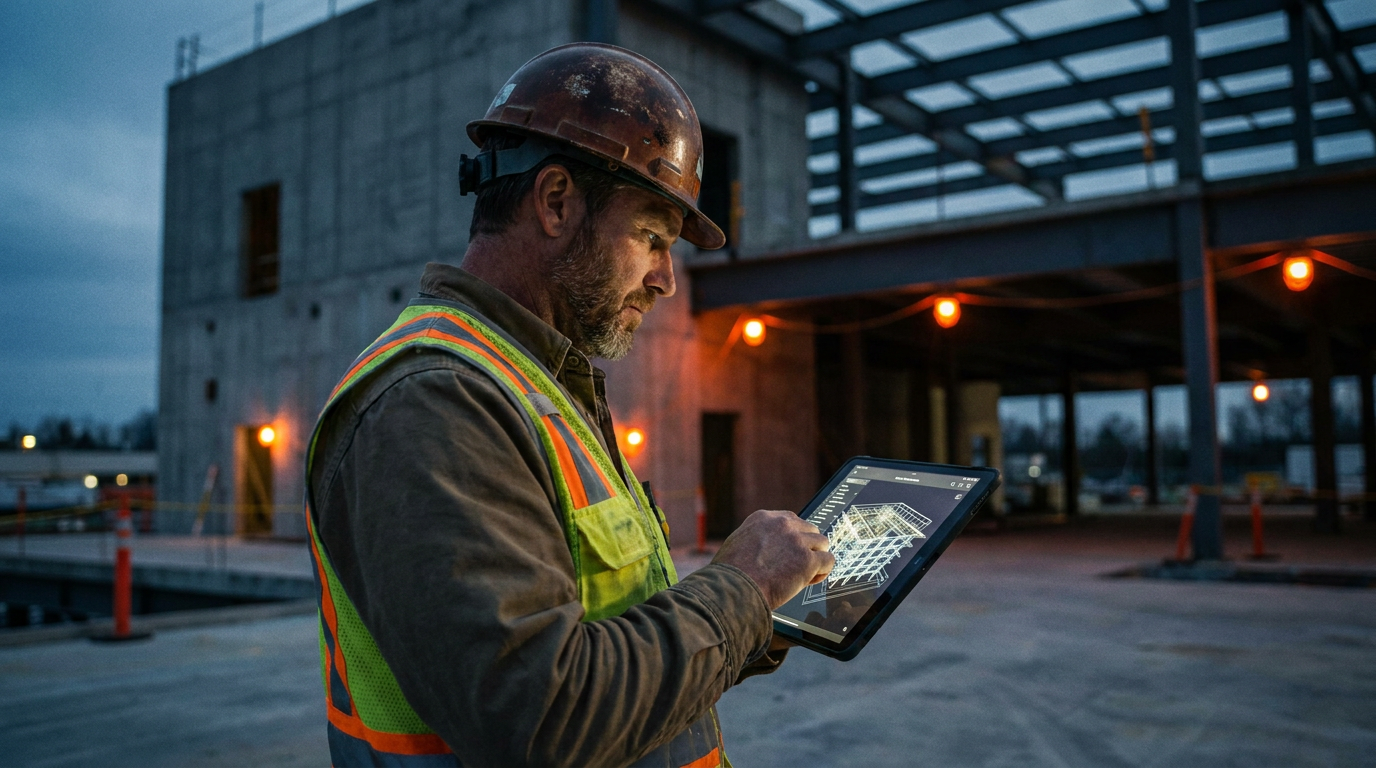
Doxel is best for GCs on large, complex projects who need to predict schedule risks and budget overruns. Avvir is better for teams focused on catching installation errors and ensuring quality control, especially for MEP systems. The right choice depends on if you need forecasting or immediate error detection.
AI is no longer just for the back office. It's on the jobsite, scanning every stud, pipe, and pour. Two of the biggest names in AI project tracking are Doxel and Avvir. Both promise to save you from costly rework and delays by comparing what's built to your BIM model. But they don't work the same way, and they aren't cheap.
So, which one is the right tool for your belt? Let's cut through the sales pitches and get down to brass tacks. We'll look at what each platform does best, who it's for, and what you need to consider before signing a big check.
What is AI Project Tracking Anyway?
Think of it as a quality control supervisor that never sleeps. AI project tracking uses reality capture technology—like laser scanners (Lidar) and 360-degree cameras—to create a digital twin of your jobsite as it's being built.
An AI engine then overlays this real-world data on top of your BIM (Building Information Model) plans. It automatically flags differences between the design and the installation. This process is often called BIM variance analysis. Instead of waiting for an inspector to find a pipe run in the wrong spot, the software spots it days or weeks earlier. The main goals are to:
- Catch Rework Early: Find clashes and installation errors before they get buried behind drywall.
- Track Progress: Get an accurate, unbiased percentage of completion for different trades and areas.
- Improve Predictability: Use data to understand if you're on schedule and on budget.
This isn't about replacing your supers. It's about giving them superpowers to see through walls and, in some cases, into the future.
Doxel: The Predictive Powerhouse
Doxel's big play is predictive analytics. It doesn't just tell you what's wrong today; it tries to tell you what's going to be wrong next month. Their platform is built to monitor the health of your entire project, focusing on schedule and budget risk.
By tracking the installation of every component, Doxel's AI learns your project's pace. It can then forecast potential delays and cost overruns. It's designed for general contractors and owners managing massive, complex jobs—think hospitals, data centers, and multi-billion dollar industrial facilities where a 1% schedule slip can mean millions in losses.
How It Works:
- Your team or a Doxel team scans the site regularly with Lidar and cameras.
- The data is uploaded to Doxel's cloud platform.
- The AI processes the scans, identifies installed materials, and compares them to the 4D/5D BIM.
- You get dashboards showing progress, earned value, and predictive risk alerts for specific areas or trades.
Best For: GCs and owners on large-scale projects where schedule risk is the number one concern. If your main job is to report progress to stakeholders and get ahead of major delays, Doxel is built for you.
Avvir: The Error Detection Specialist
Avvir takes a slightly different approach. While it also tracks progress, its core strength is finding and managing installation errors. Avvir is laser-focused on the accuracy of as-built conditions, especially for critical MEP (Mechanical, Electrical, and Plumbing) systems.
Think of Avvir as your automated QA/QC inspector. It excels at telling you that a duct is six inches off from the design, a pipe is clashing with a steel beam, or a wall was framed in the wrong location. The platform is designed to create a clear, actionable list of issues that need to be fixed in the field.
How It Works:
- Your team performs scans and uploads the data.
- Avvir's AI compares the point cloud data to the coordination model.
- The software flags deviations and creates an issue in the platform, which can be synced with tools like Procore or BIM 360.
- Trade partners get a clear report of what needs to be fixed, with precise locations and measurements.
Best For: GCs and MEP trade partners who are most concerned with installation quality and avoiding clashes. If your biggest headaches come from rework orders and trade stacking problems, Avvir provides the immediate, concrete feedback you need.
Ready to talk to your team about this? Here are some prompts you can use with your AI assistant to get the ball rolling.
Draft a short email to my boss, the head of operations. The goal is to get approval for a demo with Doxel and Avvir. Explain that AI project tracking can reduce rework costs by over 10% and keep schedules on track by catching errors early. Mention that these tools provide objective data on project progress, which improves communication with owners. Ask for a 30-minute meeting to discuss how this aligns with our goal of improving project margins.
Head-to-Head Comparison
| Feature | Doxel | Avvir |
|---|---|---|
| Primary Goal | Predictive risk and schedule forecasting | Installation error detection and QA/QC |
| Ideal User | GCs/Owners on massive, complex projects | GCs/MEP Contractors on commercial projects |
| Key Output | Project health dashboards, risk alerts | Actionable issue reports, deviation analysis |
| Integrations | P6, Project, Procore | Procore, Autodesk Construction Cloud, Revizto |
| Strength | Answers "Are we on schedule and budget?" | Answers "Is this installed correctly?" |
Both platforms are powerful, but they solve slightly different problems. Choosing Doxel is a bet on macro-level project controls and forecasting. Choosing Avvir is a bet on micro-level quality control and immediate problem-solving. A solid operations plan is key to getting value from either one.
Create a checklist for evaluating AI project tracking software like Doxel or Avvir during a sales demo. Include questions like:

1.  What is your pricing model (per project, annual, sq ft)?
2.  What hardware is supported (specific Lidar scanners, cameras)?
3.  Who performs the scans: our team or yours?
4.  What is the typical turnaround time from scan to report?
5.  Show me how an issue is tracked from detection to resolution.
6.  How does your platform integrate with Procore/Autodesk?
7.  What training and support is included?
The Bottom Line
There's no single "best" platform. The right choice between Doxel and Avvir depends entirely on your biggest pain point.
If you're running a billion-dollar project and your main job is to keep it on schedule and report progress to the owner, Doxel's predictive analytics are incredibly valuable. It helps you see the forest, not just the trees.
If you're constantly battling rework from MEP clashes and installation mistakes, Avvir's laser focus on error detection will give your field team the exact information they need to build it right the first time. It helps you inspect every single tree.
Both are serious investments that require commitment. The technology is only half the battle. The real ROI comes from having a team that is ready and willing to act on the data these platforms provide.
Frequently asked questions
37 copy-paste prompts that save tradespeople 5+ hours a week. Plus one short email every Friday — no fluff.
More for jobsite ai
How Plumbers Use ChatGPT on the Jobsite (5 Ways)
How Plumbers Use ChatGPT on the Jobsite (5 Ways) comes down to using AI to do the slow stuff — quoting, paperwork, marketing, and customer follow-up — so y

How to Use ChatGPT on the Jobsite (Practical Guide)
How to Use ChatGPT on the Jobsite (Practical Guide) comes down to using AI to do the slow stuff — quoting, paperwork, marketing, and customer follow-up — s

AI Voice Notes to Job Report in 60 Seconds
AI Voice Notes to Job Report in 60 Seconds comes down to using AI to do the slow stuff — quoting, paperwork, marketing, and customer follow-up — so you can