
How AI Works With BIM to Make Your Job Easier
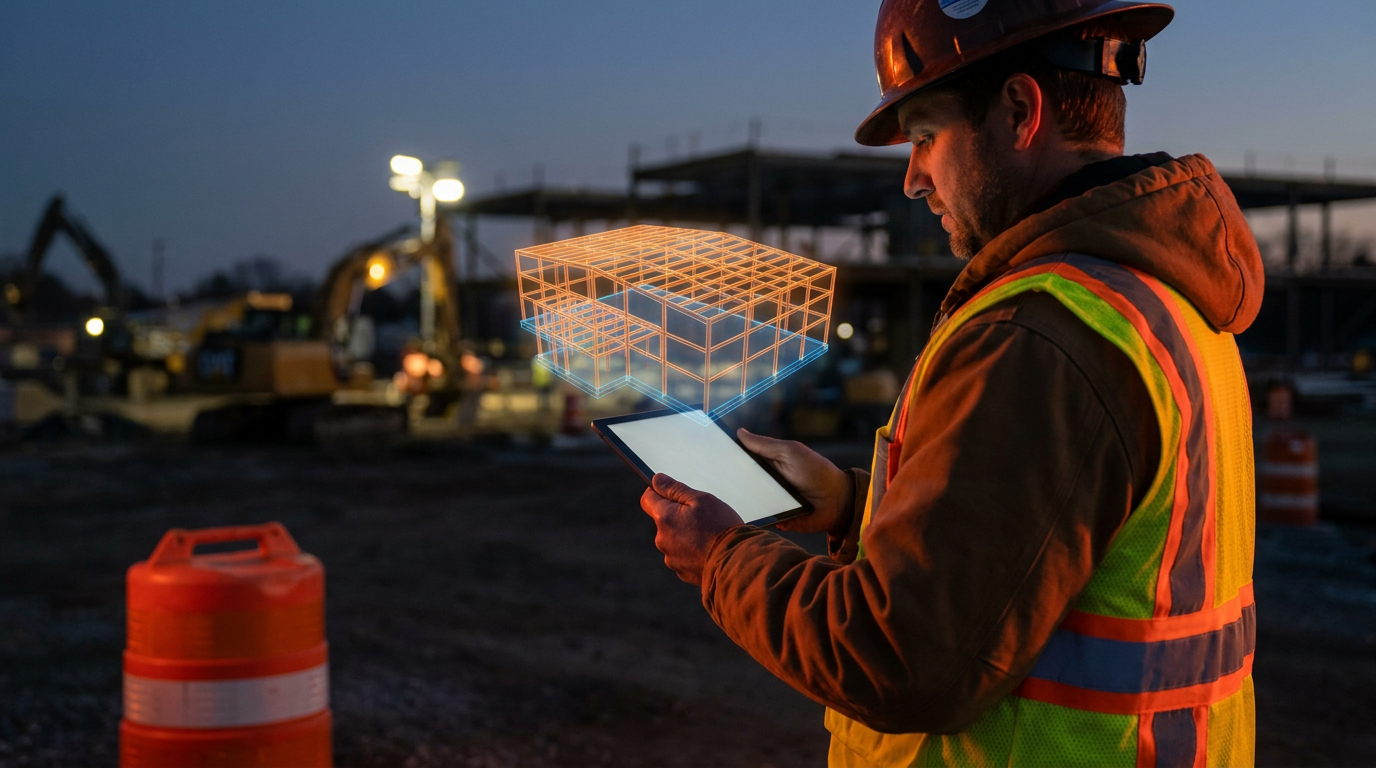
AI works with BIM by analyzing the massive datasets within 3D models to automate tasks and find insights. For trades, this means AI can automatically detect clashes between systems, optimize construction schedules, generate accurate material lists, and even predict safety risks on the jobsite before they happen.
What is BIM and How Does AI Make it Useful for You?
You've probably heard the term BIM, or Building Information Modeling. It sounds like some corporate thing for architects in glass offices. But the truth is, it's changing how work gets done on the jobsite. And when you add Artificial Intelligence (AI) to the mix, it becomes a powerful tool for every trade, from the sparky to the plumber.
Think of BIM as more than just a 3D blueprint. It’s a digital twin of the building. Every pipe, wire, duct, and beam isn't just a line; it's an object with data attached. It knows its size, its material, who makes it, and how much it costs. It's a massive pile of information.
For years, that information was hard to use. You needed special software and a lot of time to sort through it. AI changes that. AI is the brain that can instantly read that entire digital building and give you simple answers. It finds problems before they cost you time and money.
What is BIM, Really? (No Fluff)
Let's cut the jargon. CAD (Computer-Aided Design) is like a flat map. It shows you where things are supposed to go. BIM is like a GPS that knows every detail about the roads, the traffic, and even the type of pavement.
In a BIM model, that virtual pipe isn't just a cylinder. The model knows it's a 4-inch, Schedule 40 PVC pipe from a specific manufacturer. It knows how much it weighs and the clearance it needs for installation. This is called Level of Development (LOD). A high-LOD model has enough detail for prefabrication.
This matters because a building is a puzzle with thousands of pieces. Before BIM, we found out pieces didn't fit when two crews were standing in the same spot, ready to install. BIM was created to solve this on the computer first. But scrolling through a complex model is still a pain. That's where AI comes in.
Where AI Plugs Into BIM
AI acts as your smartest foreman, one who has memorized every inch of the blueprints and can see the future. It analyzes the BIM data and gives you actionable advice. Here’s how it works in the real world.
Automated Clash Detection
This is the biggest one for trades. A "clash" is when two things are designed to occupy the same space. Think an HVAC duct running right through a structural beam, or plumbing lines where electrical conduit is supposed to go.
Traditionally, a BIM coordinator would manually look for these. It takes forever, and they always miss some. AI does it automatically. It scans the entire model in minutes and generates a report of every single clash. It can even prioritize them, telling you which ones are major problems and which are minor.
- You get: A list of problems to solve before you order material or send a crew.
- Result: No more showing up to a job just to find you have to stop work, call the GC, and wait for a fix. Less rework means more profit.
4D Scheduling and Sequencing
BIM is 3D. When you add time, it becomes 4D. AI can look at the 3D model and help create the most efficient construction sequence. It understands that you can't install drywall before you run the wires.
AI algorithms can simulate the entire construction process. They can identify bottlenecks and suggest a better order of operations. For your crew, this means you get a schedule that actually makes sense. You show up when the site is ready for you, and the crew before you is actually done.
5D Cost Estimation and Takeoffs
If 4D is time, 5D is money. Because every object in the BIM model has data, an AI can perform a complete material takeoff in seconds. It counts every fitting, every foot of wire, and every fixture.
This is a game-changer for bidding. Instead of spending hours with a set of plans and a scale, you get a highly accurate material list directly from the model. When the design changes, the AI can instantly tell you the cost impact. This is key to making your bids more accurate and protecting your margins.
Generative Design
This is the next level. You can give the AI a set of goals and constraints. For example: "Design the electrical layout for this floor. Use the least amount of conduit possible, and keep all runs at least 12 inches away from plumbing lines." The AI will then generate hundreds of possible design options for an engineer to review. For trades, this means the plans you get are already optimized for efficiency and constructability.
Prompts You Can Use Today
If your GC is using a modern software platform, you can use prompts like these to get quick answers without digging through models.
Analyze this BIM coordination report snippet for my plumbing crew. Identify all clashes involving P-TRAP-01. List the conflicting systems, their locations by grid lines, and suggest a priority order for resolution based on which system is harder to move (e.g., structural vs. HVAC).
Given the BIM model's data for Level 3, Zone B, generate a 5-day work sequence for my electrical crew. We need to install conduit first, then pull wire, then install fixtures. Assume MEP rough-in is complete. List daily tasks and required materials from the model's takeoff data.
I've received an updated BIM model file (version 4.1) and the previous version (4.0). Summarize the key changes that affect the HVAC scope on the second floor. List any new ductwork, deleted registers, or changes in equipment specifications and locations.
What This Means For You on the Jobsite
This technology isn't about replacing skilled trades. It's about getting rid of the frustrating, time-wasting parts of the job. It's about using data to work smarter, not harder.
- Less Rework: Catching problems on a screen is cheap. Catching them in the field is expensive. AI-powered clash detection is your best defense against change orders and back charges.
- Better Communication: When everyone is working from the same intelligent model, there are fewer arguments. The data shows what needs to happen and where. It settles disputes before they start.
- Safer Sites: AI can analyze the BIM model and the 4D schedule to flag potential safety hazards. It can spot when multiple trades are scheduled in a tight space or when work is planned without proper access.
- More Profitable Bids: With 5D BIM, your bids become faster and more accurate. You can bid with confidence, knowing you haven't missed a pile of material or underestimated your labor.
BIM and AI are not just for the big guys anymore. As the software gets easier to use and more affordable, it's becoming a standard part of the toolkit. Knowing how it works puts you ahead of the competition and makes you a more valuable partner on any project.
Frequently asked questions
37 copy-paste prompts that save tradespeople 5+ hours a week. Plus one short email every Friday — no fluff.
More for explainers
What Is AI for Tradespeople? (Plain English Guide)
What Is AI for Tradespeople? (Plain English Guide) comes down to using AI to do the slow stuff — quoting, paperwork, marketing, and customer follow-up — so

Will AI Replace Electricians, Plumbers, and HVAC Techs?
Will AI Replace Electricians, Plumbers, and HVAC Techs? comes down to using AI to do the slow stuff — quoting, paperwork, marketing, and customer follow-up

How Much Does AI Cost for a Small Contractor?
How Much Does AI Cost for a Small Contractor? comes down to using AI to do the slow stuff — quoting, paperwork, marketing, and customer follow-up — so you