
Toolbelt Review: Smartvid.io AI Safety Analysis
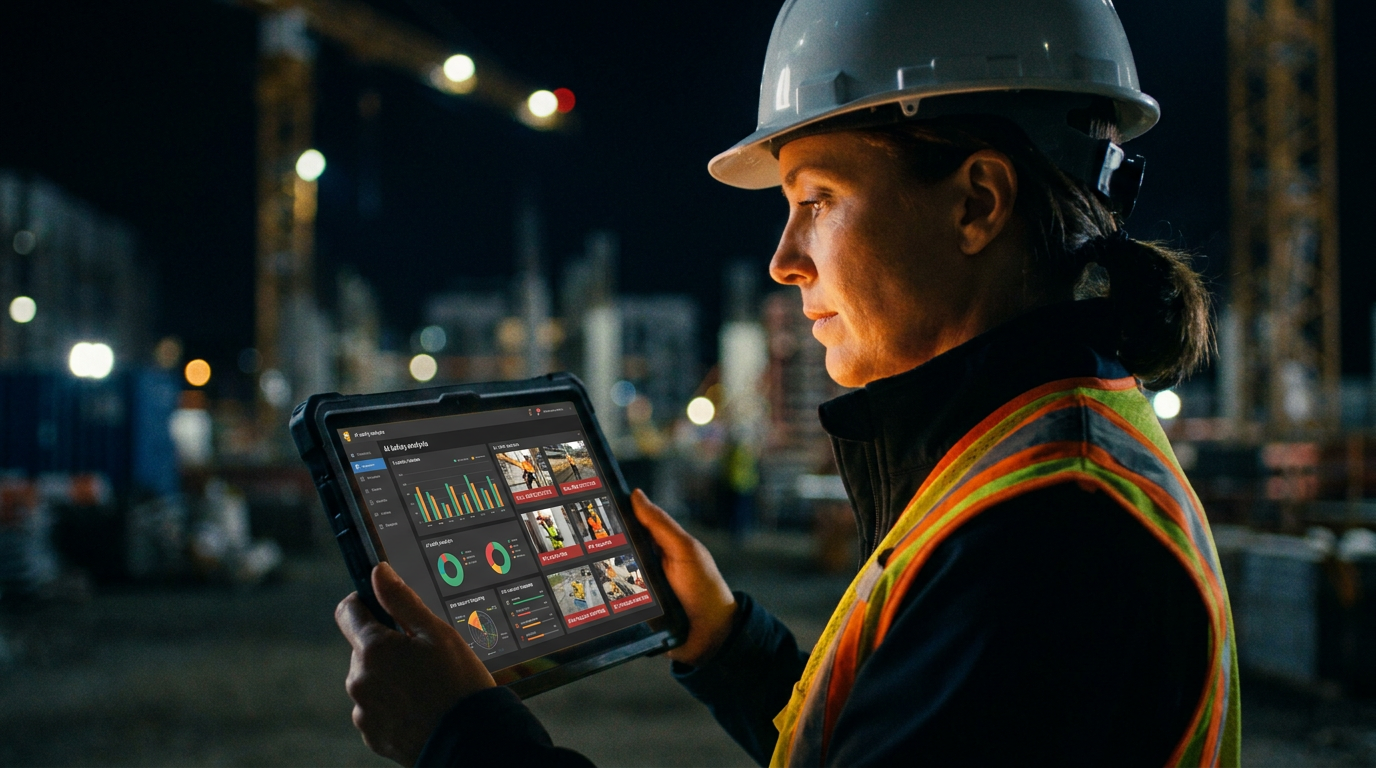
Yes, Smartvid.io's AI safety analysis can effectively spot jobsite hazards. It analyzes project photos and videos to flag risks like missing PPE, fall hazards, and unsafe equipment use. While not a replacement for a human safety manager, it provides valuable data to help GCs proactively identify trends and reduce incidents.
Does Smartvid.io's AI Really Spot Jobsite Hazards?
Keeping a jobsite safe is the toughest, most important part of the job. You can walk the site ten times a day and still miss something. With crews spread across multiple projects, it's impossible to have eyes everywhere at once. That's where the promise of AI comes in.
Smartvid.io, now part of Autodesk, claims its AI can watch your back. It says it can scan all your project photos and videos to automatically flag safety risks. It sounds great, but does it actually work in the real world? Or is it just more tech that looks good in a sales demo but falls flat on a muddy site?
We dug into the platform to see if this AI-powered safety cop is worth the investment for your business.
What is Smartvid.io, Exactly?
Think of Smartvid.io as a tireless safety inspector that lives in the cloud. Its core is an AI engine, nicknamed "Vinnie," that is trained to recognize safety hazards in images and video footage. Instead of you or your safety manager manually sifting through thousands of photos from a project, Vinnie does the heavy lifting.
In 2021, Autodesk bought Smartvid.io and has been integrating it into the Autodesk Construction Cloud. This means it's designed to work smoothly with other tools you might already be using, like Autodesk Build or PlanGrid, as well as third-party platforms like Procore.
The whole point is to move from reactive safety (filling out incident reports after someone gets hurt) to proactive safety (spotting risks and fixing them before they cause an incident). It provides data to show you where your biggest risks are, so you can focus your training and attention there.
How It Works: From Photo to Report
The process is straightforward on the surface, but a lot is happening behind the scenes.
- Data Ingestion: The AI needs photos and videos to analyze. It pulls this media from wherever you store it. This could be your project management software, drone footage, 360-degree camera captures, or even site-mounted cameras.
- AI Analysis: Vinnie gets to work. It scans every image and video frame, looking for specific, pre-trained hazards. It's trained on millions of construction photos to recognize things like:
- Workers not wearing proper PPE (hard hats, safety glasses, high-vis vests).
- Fall protection issues (improper ladder use, missing guardrails, untied lanyards).
- Housekeeping problems (trip hazards, cluttered work areas).
- Workers in close proximity to heavy equipment.
- Risk Scoring and Dashboards: The platform aggregates all these findings. It doesn't just show you a list of problems. It gives you risk scores for projects, identifies trends over time, and highlights which subcontractors or teams have the most observations. You get dashboards with charts and graphs that make it easy to see the big picture.
This data helps you answer questions like, "Are PPE issues getting worse on the third floor?" or "Which subcontractor consistently has the most housekeeping problems?"
The Good: Where Smartvid.io Shines
- Finds Leading Indicators: Most safety programs track lagging indicators like your OSHA recordable incident rate. That's like driving by looking in the rearview mirror. Smartvid.io helps you find leading indicators—the unsafe behaviors that lead to accidents. This is a game-changer for preventing incidents before they happen.
- Scales Your Safety Team: A safety manager can only be in one place at one time. The AI can "observe" hundreds of workers across dozens of sites simultaneously by analyzing the photos they are already taking. It's a massive force multiplier for your safety department.
- Objective Data: Safety observations can sometimes feel personal. The AI removes that. It's not a superintendent picking on a specific worker; it's a machine flagging an objective risk based on visual data. This helps in conversations with crews and subs.
- Deep Integrations: Its connection to the Autodesk ecosystem is a huge plus for any company already invested in those tools. It streamlines the whole process, making it part of your existing jobsite operations workflow.
The Rough Edges: Where It Can Falter
- AI Lacks Context: The biggest weakness is that Vinnie is an AI, not a seasoned foreman. It might flag a ladder leaning against a wall as an "unsafe ladder" even if it's just being stored there, not actively used. It can't understand intent, which means you'll get some false positives that a human needs to review.
- Garbage In, Garbage Out: The AI is only as good as the data you feed it. If your project teams are taking blurry, poorly lit, or badly framed photos, the AI will struggle to provide accurate analysis. You need a solid process for capturing quality images.
- It's Not a Replacement for People: This is not a "set it and forget it" solution that lets you fire your safety manager. It's a powerful tool for your safety manager. It helps them focus their energy where it's needed most, but it can't have a toolbox talk with a crew or stop work on the spot.
- The Cost: This is enterprise-grade software. It's sold as an annual subscription, and the price is based on factors like your company size and project volume. For small to mid-sized GCs, the cost can be a major barrier. It's built for large operations managing significant risk.
Using AI to Sharpen Your Safety Program (Even Without Smartvid.io)
You don't need to buy an expensive platform to start using AI for safety. You can use large language models like ChatGPT to improve your existing safety processes. Here are a few prompts you can use today.
Act as a construction safety manager. Write a 5-minute toolbox talk for a commercial construction crew about the dangers of complacency with fall protection.

Start with a short, impactful story about a near-miss. Cover these three key points:
1. Inspect your harness and lanyard every single time.
2. Ensure your anchor point is rated and secure.
3. The "it's just a quick task" mindset is how people get hurt.

Keep the language simple, direct, and professional. End with a question to the crew to start a discussion.
I am a general contractor. I have pasted my weekly safety observation notes below. Analyze this text to identify the top 3 recurring safety risks this week. For each risk, list the specific observations related to it. Finally, suggest one specific action item for our safety meeting on Monday.

[Paste your unedited weekly safety notes here]
The Verdict: Is Smartvid.io Worth It?
For the right company, absolutely. If you are a large general contractor or an owner managing a portfolio of high-risk projects, the data-driven insights from Smartvid.io can be invaluable. Major firms like Suffolk Construction have used it to demonstrably lower their incident rates. The ability to predict and prevent accidents by analyzing leading indicators can save millions in direct and indirect costs, not to mention the human cost.
For a smaller GC or a specialty subcontractor, it's likely overkill. The cost and implementation effort are substantial. However, the principles behind it are something every company should adopt. Systematically capturing and reviewing jobsite photos, looking for trends, and using that data to inform your safety program is a powerful strategy, whether you use a sophisticated AI or just a spreadsheet and a keen eye.
Smartvid.io proves that AI can be a powerful tool for jobsite safety. It's not a magic bullet, but it's a smart tool that gives safety professionals the data they need to do their jobs better.
Frequently asked questions
37 copy-paste prompts that save tradespeople 5+ hours a week. Plus one short email every Friday — no fluff.
More for jobsite ai
How Plumbers Use ChatGPT on the Jobsite (5 Ways)
How Plumbers Use ChatGPT on the Jobsite (5 Ways) comes down to using AI to do the slow stuff — quoting, paperwork, marketing, and customer follow-up — so y

How to Use ChatGPT on the Jobsite (Practical Guide)
How to Use ChatGPT on the Jobsite (Practical Guide) comes down to using AI to do the slow stuff — quoting, paperwork, marketing, and customer follow-up — s

AI Voice Notes to Job Report in 60 Seconds
AI Voice Notes to Job Report in 60 Seconds comes down to using AI to do the slow stuff — quoting, paperwork, marketing, and customer follow-up — so you can