
Get More Jobs: Using AI for Video Testimonials
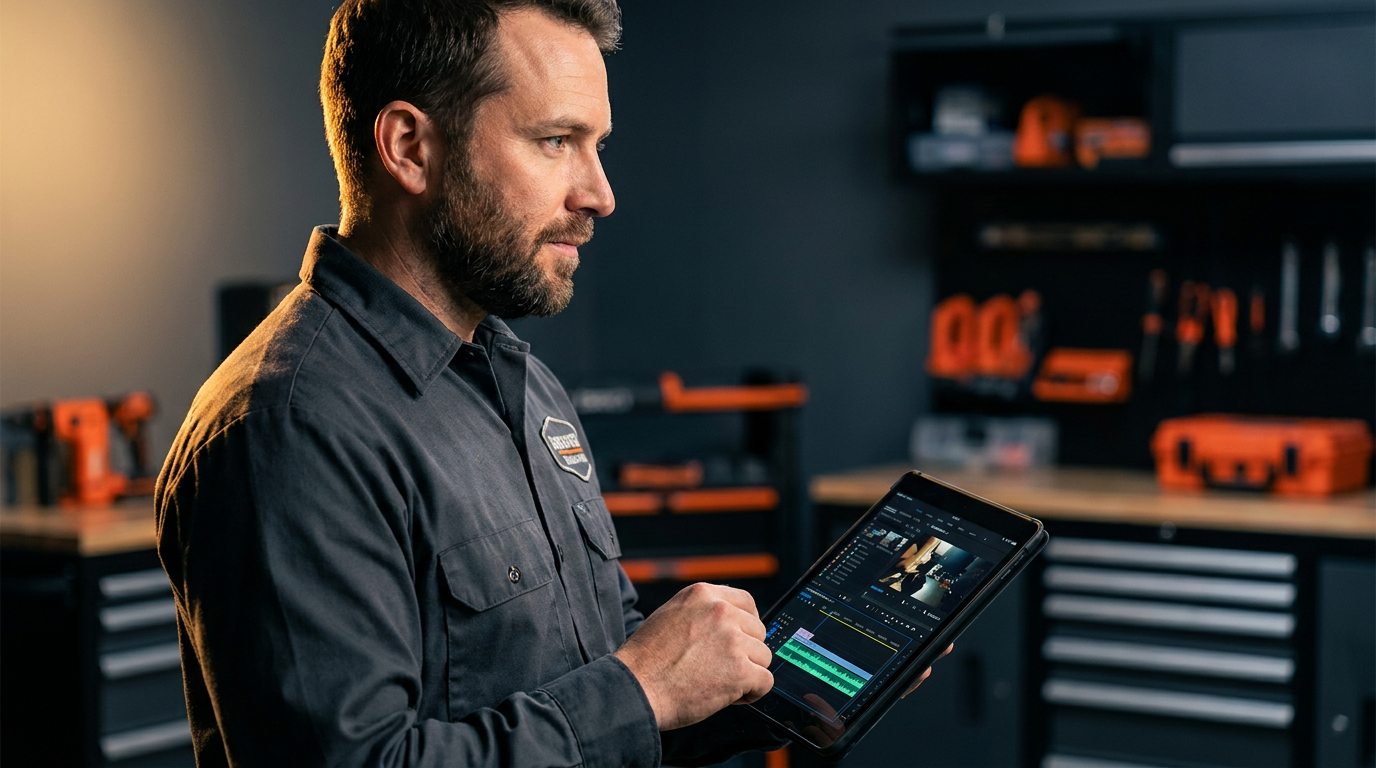
Contractors are using AI for video testimonials to streamline the creation process. AI tools can automatically edit raw footage, add professional captions, generate highlight clips, and even create scripts. This saves hours of work, turning simple customer videos into powerful marketing assets that build trust and win more bids.
Word-of-mouth is king. But a video of a happy customer is an ace in the hole. It builds trust faster than anything else. The problem? Getting those videos made used to be a pain. It meant hiring a pro, messing with confusing software, or just giving up.
Not anymore. Artificial intelligence, or AI, is changing the game for contractors. It’s making it simple to turn a quick phone video from a customer into a professional-looking testimonial that lands you more work.
Why Video Testimonials Crush Everything Else
Think about it. A potential customer is looking at three different quotes. Two of you have written reviews on your site. The third one has a video of a smiling homeowner talking about how you finished their kitchen remodel on time and under budget. Who do you think gets the call?
Video works because it’s real. People can see and hear the customer’s honest reaction.
- Builds Trust: Seeing a real person, not just text on a screen, makes the review feel genuine.
- Shows Your Work: You can splice in B-roll footage—quick shots of the finished project—to show off your quality craftsmanship.
- Stands Out: Most of your competition isn't doing this. It’s an easy way to look more professional and win the job before you even meet the client.
A good video testimonial is a 24/7 salesperson for your business.
The Old Way vs. The AI Way
Let's get real about what it used to take to make a decent video.
The Old Way:
- Hire a videographer (costs hundreds or thousands).
- Schedule a time that works for you, the videographer, and the customer.
- Spend hours on site getting the right shots.
- Wait for the editor to send a first draft.
- Go back and forth on changes.
- Finally get a video file a few weeks later.
The cost and time meant most contractors never bothered.
The AI Way:
- Ask your happy customer to record a 1-2 minute video on their phone.
- They send you the file.
- You upload it to an AI video tool.
- The AI automatically generates a transcript.
- You edit the video by just deleting words from the transcript. The video cuts are made for you.
- Click a button to add captions, your logo, and background music.
- Click another button to create 5-10 short clips for social media.
You can go from raw footage to a finished testimonial in under 30 minutes. This is a huge leap forward for your marketing strategy.
Tools of the Trade: AI Video Editors
You don't need to be a tech genius to use these tools. They are designed for regular people. Most work right in your web browser.
- Descript: This is a popular one. It’s famous for letting you edit video like a Word document. You edit the text transcript, and the video edits itself. It can also clean up the audio and remove filler words like "um" and "uh" automatically.
- Opus Clip: This tool is great for social media. You upload one long video, and it uses AI to find the most interesting parts. It then automatically creates several short, vertical videos with captions, ready for Instagram Reels or TikTok.
- Veed.io: Another solid all-in-one option. It has a simple interface for adding text, your logo, and captions. It also has features for automatic transcription and resizing videos for different platforms.
Don't get stuck on which tool is "best." Pick one, try their free trial, and see if you like it. The important part is to start.
Prompting AI for Better Results
The AI is a tool. The better your instructions, the better the result. We call these instructions "prompts." You can use AI not just for editing, but for planning your testimonials, too.
Here are some prompts you can copy and paste into a chatbot like ChatGPT to get started.
Act as a marketing expert for a residential roofing company. I need to get a video testimonial from a homeowner whose roof I just replaced after a big hail storm. Give me a list of 5-7 simple, open-ended questions I can send them. The questions should encourage them to talk about their problem (the storm damage), their experience working with my crew, and how they feel now that the job is done. Make the questions easy to answer on camera.
Getting good answers starts with asking good questions. You can also use AI to help a customer who isn't comfortable on camera. Just get some bullet points from them and use AI to build a simple script.
I'm a general contractor. A client agreed to a video testimonial about their kitchen remodel but is nervous on camera. I have these notes from our conversation:
- Old kitchen was dark and from the 90s.
- They were worried about the project going over budget.
- My crew was clean and respectful of their home.
- They love the new island and countertops.
- Now they love hosting parties.
Turn these notes into a short, natural-sounding script, about 150 words, that the homeowner can read. Write it from the homeowner's point of view.
From Raw Footage to Final Cut: Your AI Workflow
Ready to make your first one? Here’s the process.
- Get the Footage: This is the most important step. When a job is done and the customer is happy, just ask. Say, "Would you be willing to record a quick video on your phone talking about your experience? It would help us out a ton." Send them the questions you generated with AI.
- Upload to Your AI Tool: Once they text or email you the video, download it and upload it to the AI editor you chose.
- Transcribe and Edit: Let the AI generate the transcript. Read through it and delete any parts that are repetitive or off-topic. Remove filler words. This is the main edit.
- Find the Gold: Look for the best 15-30 second soundbites. These are your social media clips. Most tools let you highlight text and export that section as a new video.
- Brand It: Add your logo in a corner. Add a simple intro and outro screen with your company name, website, and phone number.
- Add Captions: This is critical. Over 80% of social media videos are watched with the sound off. AI tools add captions with one click. Make sure they are big, bold, and easy to read.
- Export and Share: Download your main 60-90 second video for your website. Download the shorter clips for Facebook, Instagram, and LinkedIn. When you post them, use AI to help you write the text for the post.
Here is the transcript from a customer testimonial video. Write three different social media posts for Facebook to go with the video. The first post should focus on the customer's problem. The second should highlight our company's professionalism. The third should focus on the customer's happiness with the final result. Keep the tone conversational and include a call to action to "get a free quote."

Transcript: "[Paste your customer's video transcript here]"
That's it. You've just created a powerful piece of marketing that will work for you for years. It's not about being a Hollywood director. It's about showing real proof that you do great work. Now go get that first video.
Frequently asked questions
37 copy-paste prompts that save tradespeople 5+ hours a week. Plus one short email every Friday — no fluff.
More for marketing & seo

AI Marketing for Electrical Contractors: A 30-Day Plan
AI Marketing for Electrical Contractors comes down to using AI to do the slow stuff — quoting, paperwork, marketing, and customer follow-up — so you can st
Electrician Chatbot: Answer Customers 24/7 With AI
Electrician Chatbot comes down to using AI to do the slow stuff — quoting, paperwork, marketing, and customer follow-up — so you can stay on the tools. Bel

Plumbing SEO With AI: Rank in Your City Faster
Plumbing SEO With AI comes down to using AI to do the slow stuff — quoting, paperwork, marketing, and customer follow-up — so you can stay on the tools. Be