What Is Computer Vision for Construction?
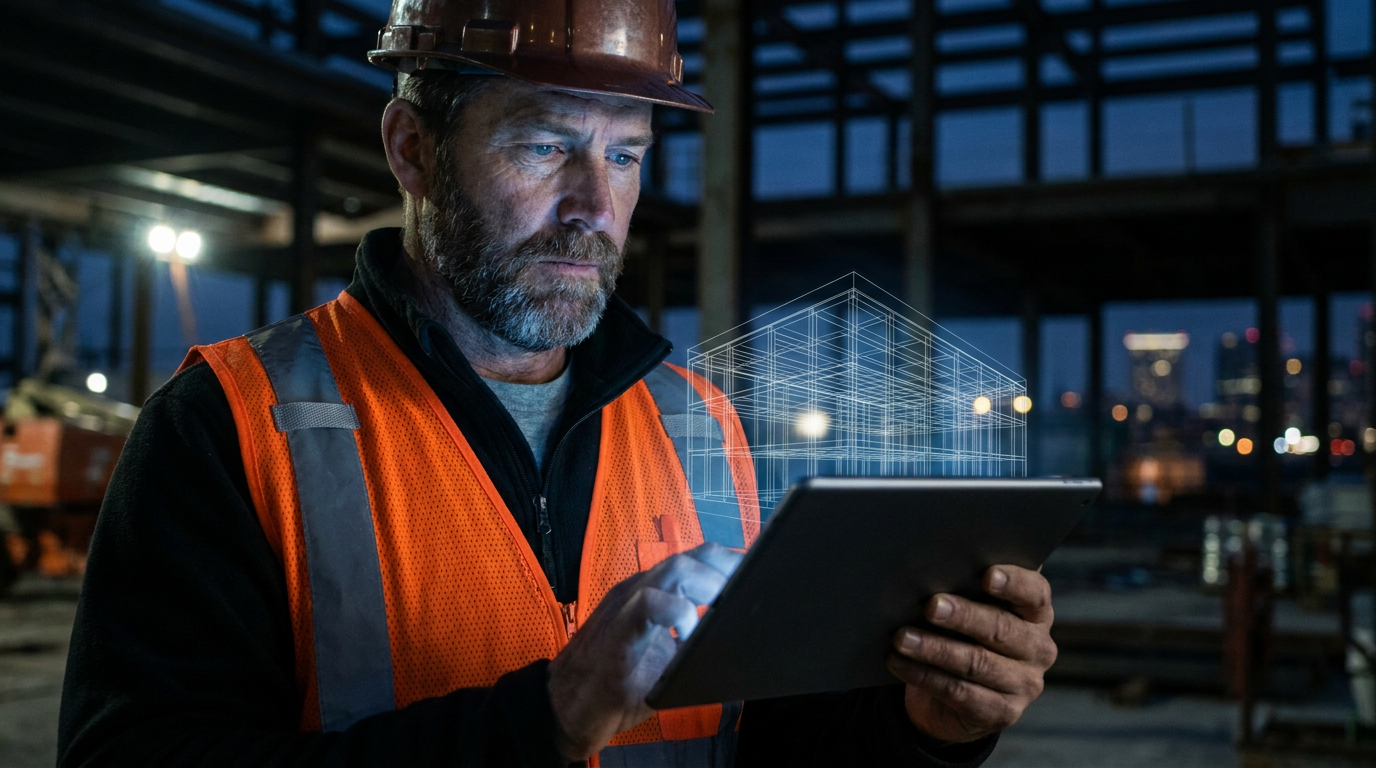
Computer vision for construction is technology that uses cameras and artificial intelligence to “see” and understand a jobsite, much like a human does. It analyzes images and videos to automatically monitor safety compliance, track building progress against plans, manage equipment, and identify potential quality issues before they become big problems.
You Keep Hearing About AI. Here's What It Actually Does.
Let's cut the crap. You hear 'AI' and 'computer vision' and probably think of science fiction movies. But this stuff is real, and it's already on jobsites across the country. It’s not about robots taking your job. It’s about giving you a set of eyes that never sleeps, never blinks, and can be everywhere at once.
So, what the hell is computer vision? In simple terms, it’s teaching a computer to see and understand the world through a camera. You take a picture or a video, and the software analyzes it. It can identify people, objects, and even actions. For construction, this means it can watch your site and give you real, useful information instead of just hours of boring security footage.
Think of it like this: you have a new guy on the crew. You have to teach him what a hard hat is, what a safety vest looks like, and where the exclusion zone is. Computer vision is the same, but you teach a machine. And once it learns, it never forgets and works 24/7.
How Does This Tech Actually Work?
It’s not magic, it's a process. It starts with a camera—any camera. It could be the phone in your pocket, a drone flying overhead, or fixed security cameras mounted around the site.
- Capture: The cameras take pictures or record video of the jobsite. This can be a constant stream or photos taken at set intervals, like every 30 minutes.
- Analysis: This is where the 'vision' part happens. The images are fed into a software program. This AI has been trained on millions of images to recognize specific things. It scans the pixels to identify objects, people, and patterns.
- Insight: The software then turns its findings into data you can actually use. It doesn't just say 'person detected.' It says, 'person detected in a fall-risk zone without a safety harness.' It creates reports, sends alerts, and can even update your project management software.
This isn't just about spying on your crew. It’s about automating the tedious parts of site monitoring so you can focus on the important stuff, like building things. It gives you a complete, unbiased record of what’s happening on your jobsite every single day.
Real-World Uses That Save Time and Money
This is where the rubber meets the road. How does a seeing computer help you get the job done better, faster, and safer? Here are the main ways crews are using it right now.
Safety First, Always
OSHA doesn’t mess around, and neither should you. Computer vision is a game-changer for safety management. The system can automatically monitor the entire site for common violations.
- PPE Detection: Is everyone wearing their hard hat, safety glasses, and high-vis vest? The AI can spot someone who isn't and send an alert to the site supervisor instantly.
- Hazardous Zones: It can monitor exclusion zones, trenching work, or areas with overhead crane activity. If a worker or vehicle enters a dangerous area, it triggers an alarm.
- Fall and Accident Detection: Some advanced systems can even detect the specific motion of a person falling and immediately notify emergency contacts. This can trim minutes off response times when it matters most.
Act as a construction safety manager. I'm preparing a toolbox talk on new site technology. Using the concept of computer vision, list five specific safety checks it can perform automatically on our multi-family residential project. For each check, briefly explain how it helps us meet OSHA standards and keeps the crew safe. Keep the language simple and direct for the field team.
Progress Tracking That Doesn't Lie
How far along is the project, really? Instead of relying on gut feelings and manual reports, computer vision gives you hard data. By comparing daily site photos to your BIM (Building Information Modeling) plans, the AI can measure actual progress.
- BIM vs. Reality: It overlays the 3D model on top of the real-world photos to see what's been done. It can tell you that 70% of the framing is complete on the second floor or that the plumbing rough-in is behind schedule.
- Early Clash Detection: It can spot when something is built out of place before it becomes a major problem. For example, if a duct is installed where a large pipe is supposed to go, the system will flag it. This avoids the costly, time-sucking rework that kills your budget.
Quality Control and Assurance
Doing it right the first time is the name of the game. Computer vision acts as an extra layer of quality control.
- Installation Verification: The AI can be trained to look for correct installation. Is the rebar spaced correctly before a concrete pour? Are the welds on the steel frame up to spec? It can flag potential defects for a human expert to review.
- Material Checks: It can even verify that the right materials are being used in the right places, comparing delivered goods against the project specs.
I'm a GC for commercial projects. Draft a short, professional email (under 150 words) to my project management team. I want to introduce the idea of piloting a computer vision system for progress tracking on the new 'Westwood Office' project. Explain that the goal is to compare as-built progress against our BIM model automatically to catch deviations early and improve reporting accuracy. Ask them to be ready to discuss potential vendors in our next weekly meeting.
Is This Going to Cost Me an Arm and a Leg?
Let’s be honest, new tech can be expensive. And some of these enterprise-level systems from companies like Procore, OpenSpace, or Buildots do require a significant investment. They're powerful, but might be overkill for a smaller outfit.
But the cost is coming down, and you don't have to go all-in at once. You can start small.
- App-Based Solutions: Some companies offer apps that use your smartphone's camera. You walk the site, take videos, and the app does the rest.
- Single-Purpose Tools: You could start with a single camera and software focused only on one thing, like PPE detection at the main site entrance.
Think about the cost of one major rework project or a single stop-work order from an OSHA violation. Suddenly, the investment in a system that helps prevent those things starts to look pretty reasonable. The key is to identify your biggest problem—whether it's safety, delays, or quality—and find a tool that solves it.
Frequently asked questions
37 copy-paste prompts that save tradespeople 5+ hours a week. Plus one short email every Friday — no fluff.
More for explainers
What Is AI for Tradespeople? (Plain English Guide)
What Is AI for Tradespeople? (Plain English Guide) comes down to using AI to do the slow stuff — quoting, paperwork, marketing, and customer follow-up — so
Will AI Replace Electricians, Plumbers, and HVAC Techs?
Will AI Replace Electricians, Plumbers, and HVAC Techs? comes down to using AI to do the slow stuff — quoting, paperwork, marketing, and customer follow-up
How Much Does AI Cost for a Small Contractor?
How Much Does AI Cost for a Small Contractor? comes down to using AI to do the slow stuff — quoting, paperwork, marketing, and customer follow-up — so you